> For the complete documentation index, see [llms.txt](https://docs.openalgo.in/llms.txt). Markdown versions of documentation pages are available by appending `.md` to page URLs; this page is available as [Markdown](https://docs.openalgo.in/new-features/portfolio-analytics.md).
# Portfolio Backtester and Analyzer
OpenAlgo provides two authenticated, read-only portfolio workflows:
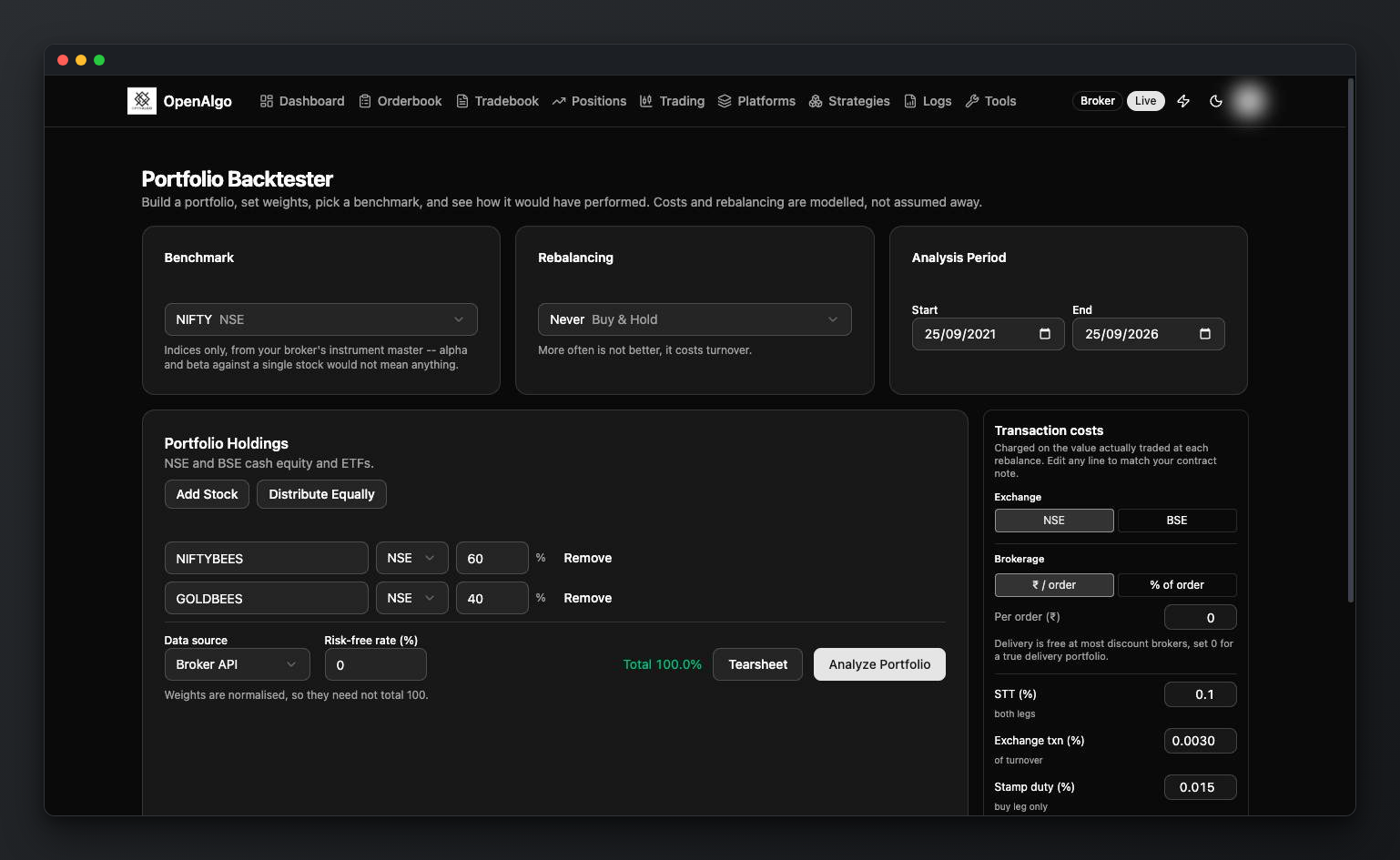
* **Portfolio Backtester** simulates a target allocation over a historical window.
* **Portfolio Analyzer** reads the holdings currently reported by the connected broker, weights them by current market value, and tests how that allocation would have behaved over a selected lookback.
Neither workflow places, modifies, or cancels an order.
## Before You Start
* Create an OpenAlgo API key.
* For the default **Historify** source, ingest daily history for every holding and the selected benchmark.
* For the **Broker API** source, log in to the broker and confirm that its history API covers the required symbols and dates.
* The engine supports long-only NSE/BSE cash equities and ETFs. It does not model derivatives, short positions, or a separate cash sleeve.
## Backtest a Portfolio
1. Open `/portfolio-backtester`.
2. Add up to 50 unique NSE/BSE holdings and assign a positive weight to each. Weights can be percentages or fractions; OpenAlgo normalizes their ratio.
3. Choose the date range and optional index benchmark.
4. Choose a history source:
* `db` reads the local Historify store in one multi-symbol query.
* `api` calls the active broker's history service sequentially.
5. Select `never`, `monthly`, `quarterly`, or `yearly` rebalancing. An optional drift band can trigger an earlier rebalance.
6. Configure capital, risk-free rate, slippage, and either the Indian delivery-cost schedule or a flat basis-point cost.
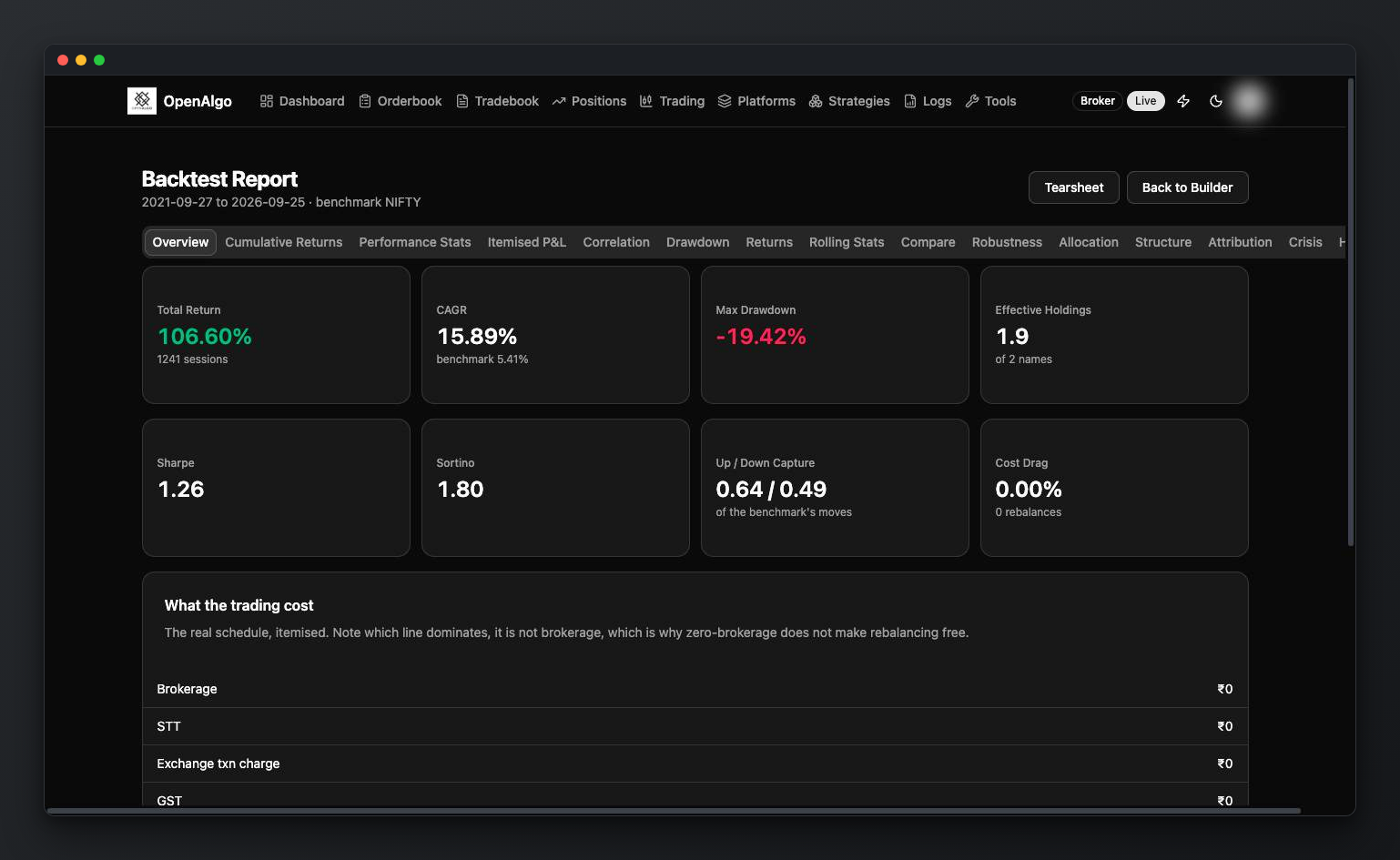
7. Run the backtest. The results page uses one internally consistent result object; changing tabs does not rerun the simulation.
## Understand the Results
The analysis can include:
* portfolio and benchmark equity curves;
* returns, volatility, drawdown, Sharpe/Sortino, capture, and rolling statistics;
* holding contributions and trailing returns;
* correlation, effective-holdings concentration, co-movement groups, and allocation drift;
* realized trading costs, turnover, and rebalancing dates;
* walk-forward windows, Monte Carlo paths, crisis periods, attribution, and seasonality;
* a portfolio-health grade whose inputs, formulas, and pillar weights are returned with the score.
Use **Download tearsheet** to export the same model as a self-contained `portfolio-tearsheet.html` file.
## Analyze Current Holdings
1. Log in to the broker.
2. Open `/portfolio-analyzer`.
3. Choose a 60-3650 day lookback, history source, benchmark, and risk-free rate.
4. OpenAlgo loads usable broker holdings, calculates market-value weights, and runs the same analytics engine.
Unsupported exchanges remain visible in the holdings summary and are listed as skipped. This is a current-allocation historical scenario, not an account-performance report: holdings data does not reveal when each lot was bought or the investor's cash flows.
## Limits
* Results use close-to-close price returns. Dividends are absent unless the selected history source embeds an adjusted series.
* Missing holding history fails the run instead of silently dropping the asset.
* Missing benchmark history degrades benchmark-relative sections but does not invalidate the portfolio calculation.
* Results depend on history quality, the chosen allocation, and cost assumptions. They are not a forecast or investment advice.
See the [Portfolio API](/api-documentation/v1/portfolio.md) for automation and [Portfolio Analytics Architecture](/developers/design-documentation/55-portfolio-analytics.md) for implementation boundaries.