> For the complete documentation index, see [llms.txt](https://docs.openalgo.in/llms.txt). Markdown versions of documentation pages are available by appending `.md` to page URLs; this page is available as [Markdown](https://docs.openalgo.in/installation-guidelines/getting-started/totp-configuration.md).
# TOTP Configuration
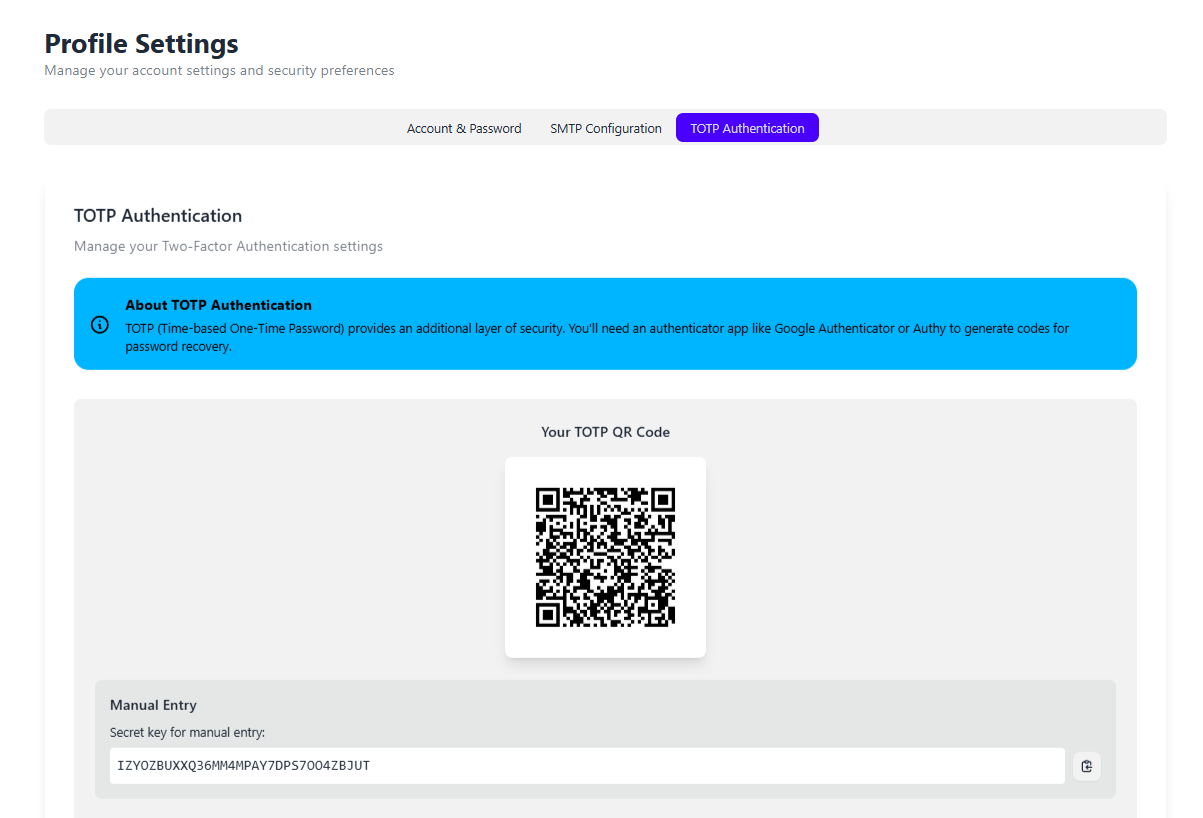
Once you logged into openalgo for the first time. goto Profile -> My Profile and select the tab TOTP Authentication
This procedure is easier when compared to [SMTP Settings](/installation-guidelines/getting-started/smtp-settings.md)
### Steps to Reset your openalgo credentials using Authenticator App
1\)Launch your Google Authenticator or any other trusted authenticator and Scan the QR Code or enter the QR token
2\)and when you want to reset your password if in case you forgot password then from the login page goto forgot password and enter your registered email and press continue
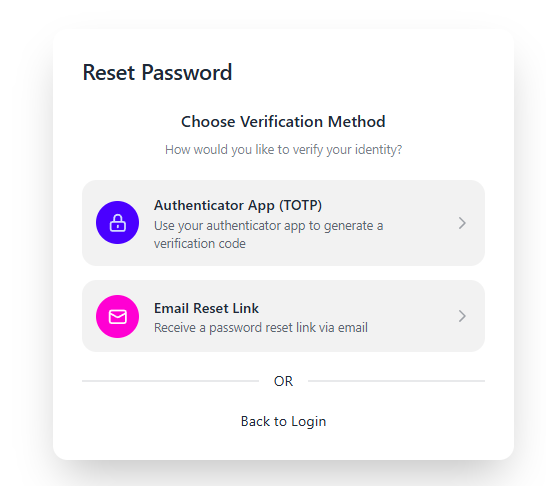
3\)select the verification method as Authenticator App (TOTP)
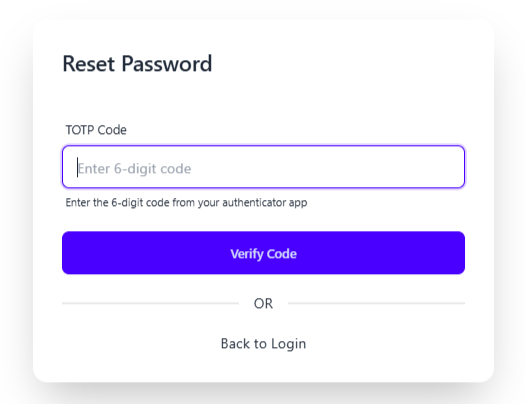
4\)Enter the 6 digit TOTP from your Authenticator App
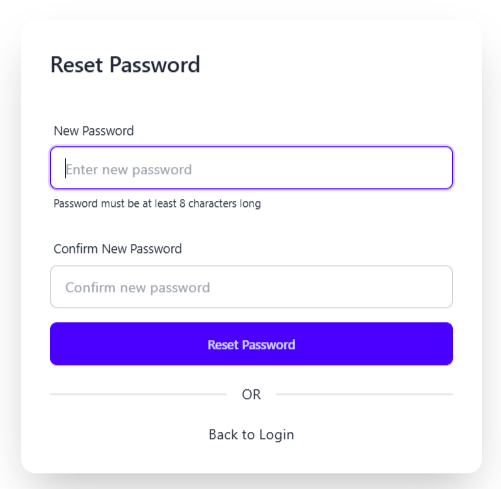
5\)reset with the new password
6\)now login with your newer credentials and start using openalgo