> For the complete documentation index, see [llms.txt](https://docs.openalgo.in/llms.txt). Markdown versions of documentation pages are available by appending `.md` to page URLs; this page is available as [Markdown](https://docs.openalgo.in/installation-guidelines/getting-started/mac-os-installation/ngrok-config.md).
# Ngrok Config
## Download Ngrok
1. Visit the [Ngrok ](https://ngrok.com/)website and sign up or log in.
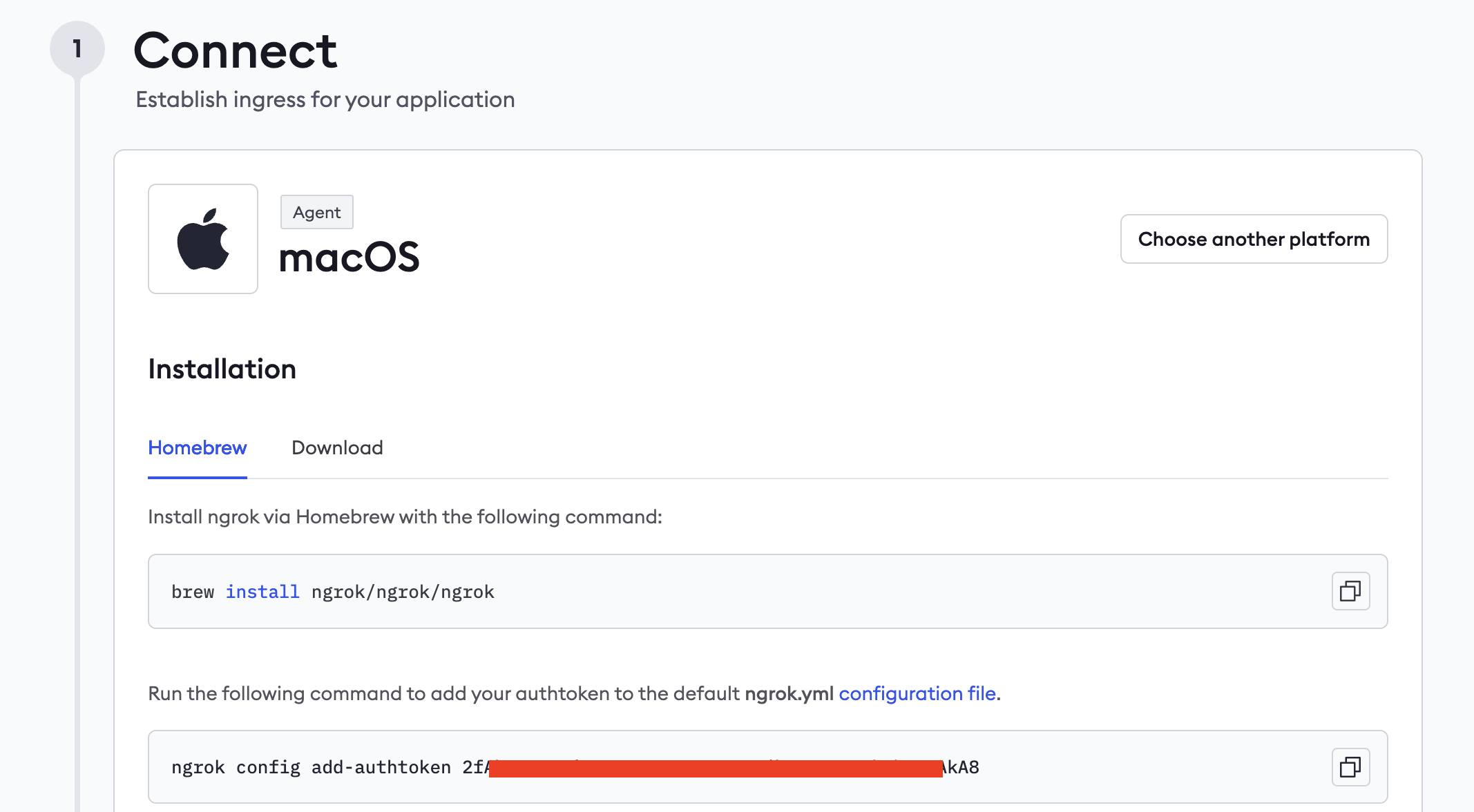
2. Navigate to the [download section](https://dashboard.ngrok.com/get-started/setup/macos) and select the version for Mac OS.
3. Install Ngrok using the brew command
```
brew install ngrok/ngrok/ngrok
```
4. Copy the Auth Token and keep it separately later this will be used to set the **ngrok.yml** config file
## Setting up the Ngrok Free Custom Domain
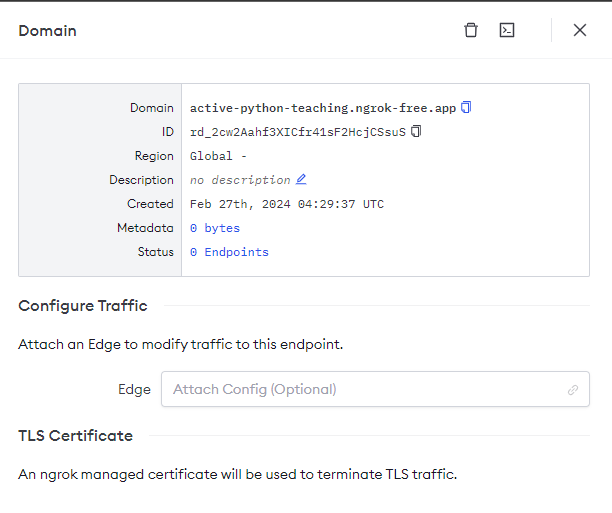
Go to the **Ngrok portal**, navigate to **Domains -> New Domain**, and create your free domain.
## Setting up the Ngrok Config File
1. Open the terminal in Mac
2. Enter the command `ngrok config edit`.
3. This opens the ngrok config file. Enter your Auth Token, Tunnel Name, hostname, and addr as follows:
```markup
version: "3"
tunnels:
flask:
proto: http
hostname: .ngrok-free.app
addr: 127.0.0.1:5000
agent:
authtoken:
```
Replace `` with your actual Ngrok authentication token and `` with the hostname you’ve set up.
## Security Best Practices When Using Ngrok
* **Keep Your Ngrok Auth Token Secure**: Your Ngrok authentication token is the key to creating tunnels with your account. Keep it secure to prevent unauthorized access.
* **Use Strong Authentication for Exposed Services**: If you’re exposing a web service or application, ensure it has its own strong authentication mechanism.
* **Monitor Tunnel Usage**: Regularly review logs and monitor tunnel usage for any unexpected or unauthorized access.
* **Limit Exposure Time**: Only keep tunnels open for as long as necessary. The longer a tunnel is open, the higher the potential security risk.