> For the complete documentation index, see [llms.txt](https://docs.openalgo.in/llms.txt). Markdown versions of documentation pages are available by appending `.md` to page URLs; this page is available as [Markdown](https://docs.openalgo.in/analytics-and-options-tools.md).
# Analytics and Options Tools
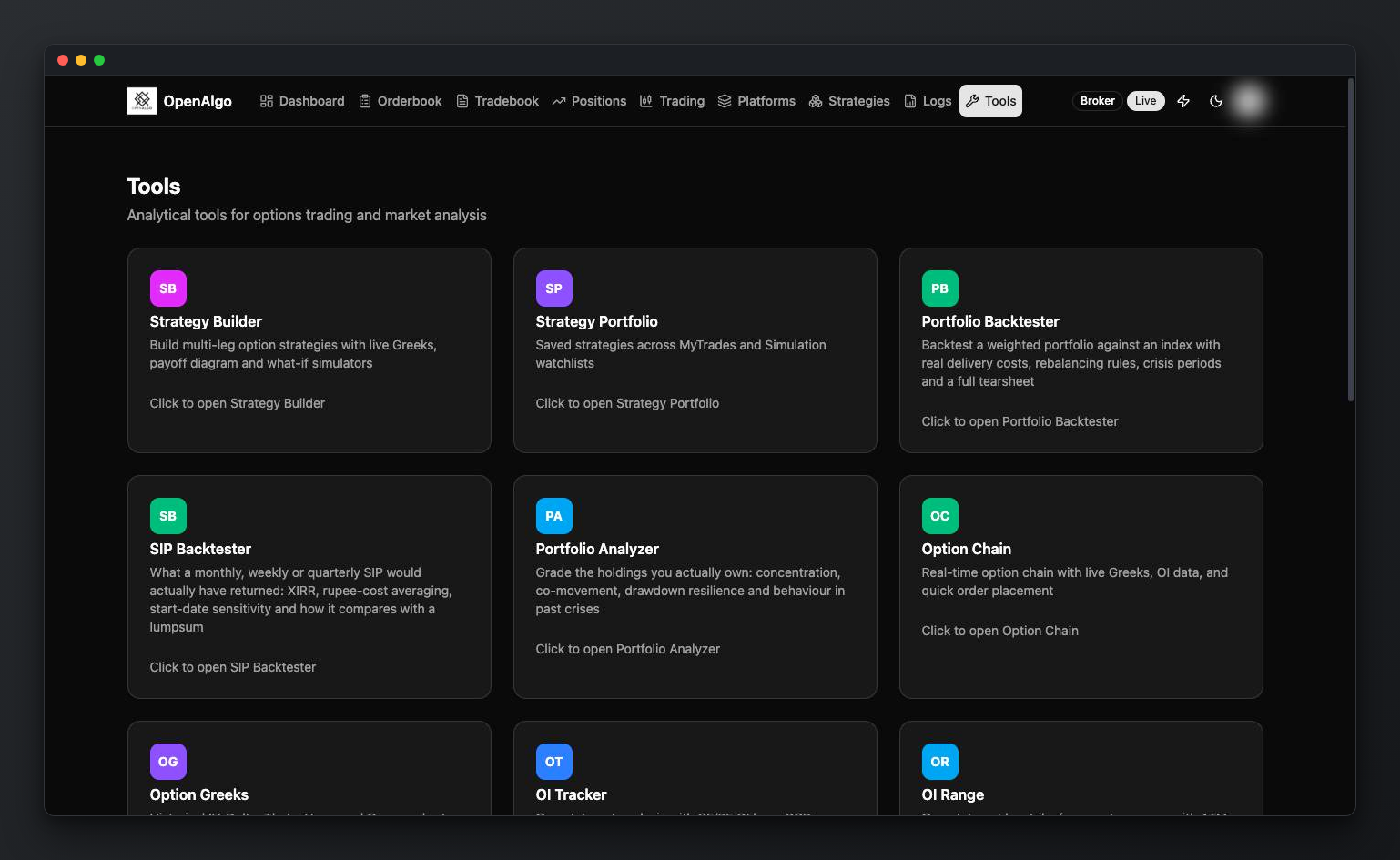
OpenAlgo ships **18 analytics surfaces** under `/tools`, covering the options desk, portfolio analysis and backtesting. They run inside your own installation against your broker's live data, so nothing here depends on an external service.
These are interactive UI tools rather than API endpoints. Several are backed by the [Options API](/api-documentation/v1/data-api/option-chain.md), so anything you can see on screen you can also automate.
***
## Options Desk
| Tool | Path | What it shows |
| ----------------- | -------------- | ------------------------------------------------------------------- |
| **Option Chain** | `/optionchain` | Real-time chain with live Greeks, OI data and quick order placement |
| **Option Greeks** | `/ivchart` | Historical IV, Delta, Theta, Vega and Gamma charts for ATM options |
| **Max Pain** | `/maxpain` | Max pain strike with the pain distribution across strikes |
| **IV Smile** | `/ivsmile` | Call and put IV curves, ATM IV and skew analysis |
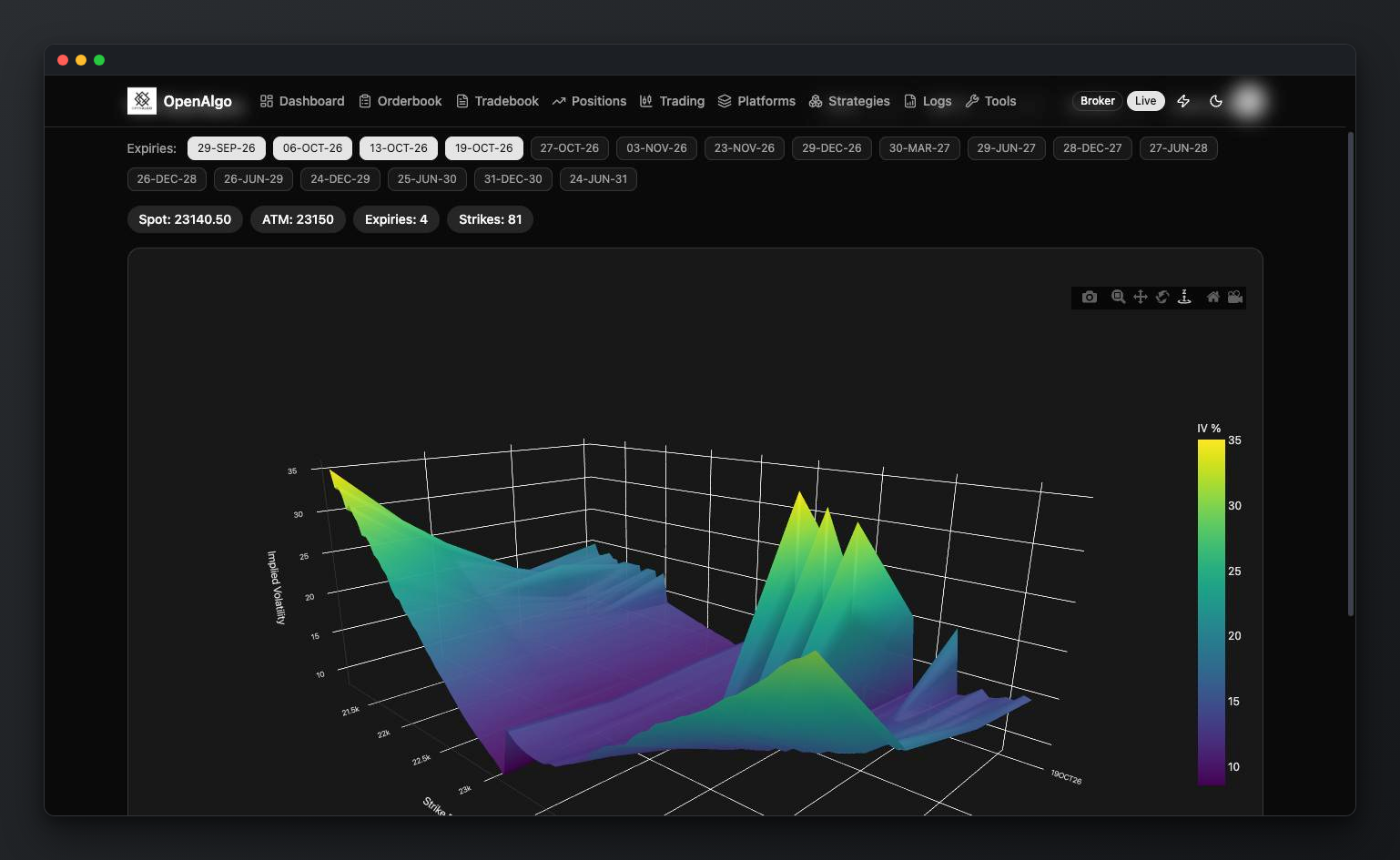
| **Vol Surface** | `/volsurface` | 3D implied volatility surface across strikes and expiries |
## Open Interest
| Tool | Path | What it shows |
| ----------------- | --------------- | ------------------------------------------------------------------------------------------------------- |
| **OI Tracker** | `/oitracker` | CE and PE OI bars, PCR overlay and the ATM strike marker |
| **OI Range** | `/oirange` | OI by strike over a custom range, with ATM-relative selectors and optional one-minute auto-refresh |
| **OI Profile** | `/oiprofile` | Futures candlesticks with an OI butterfly and daily OI change across strikes |
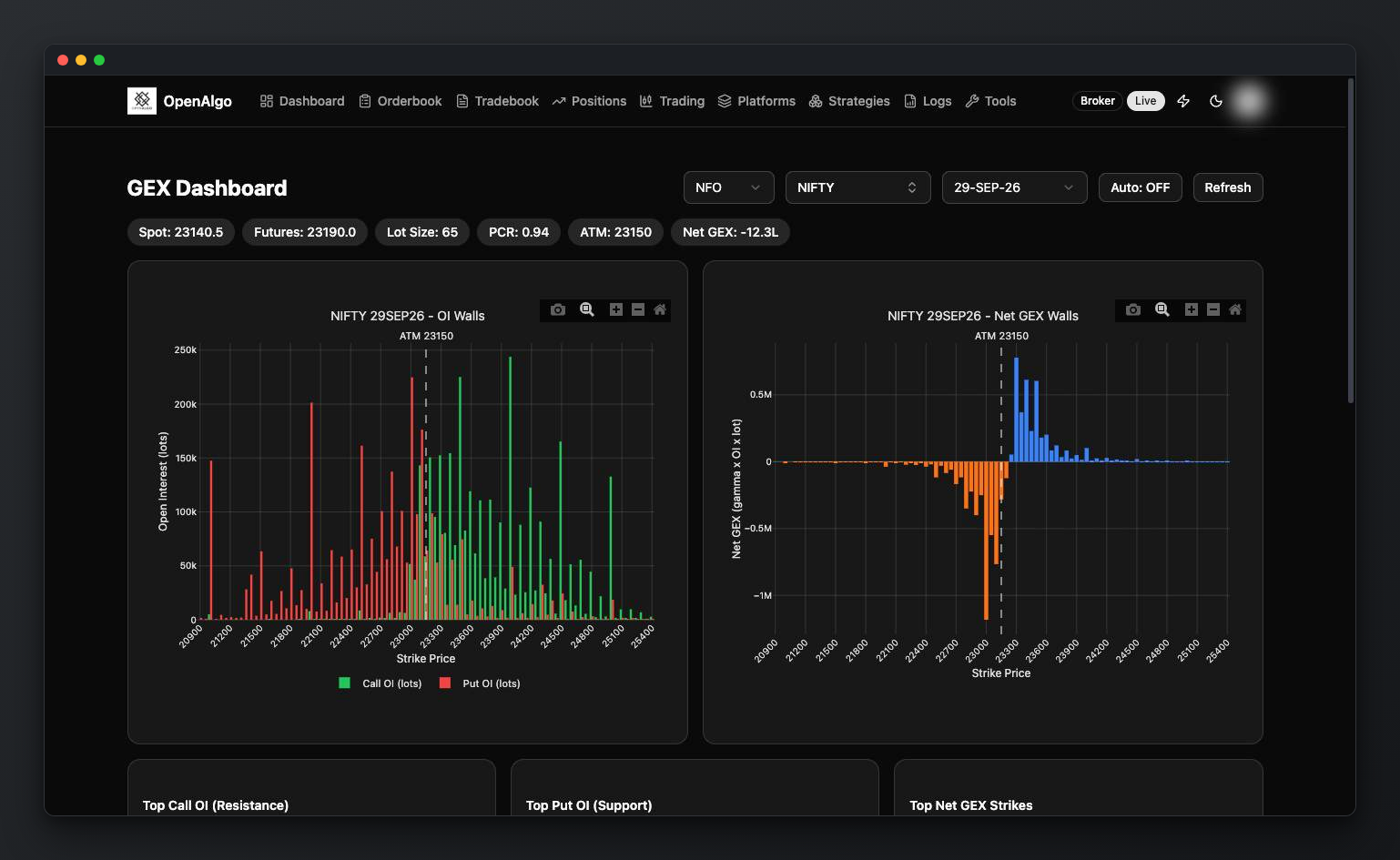
| **GEX Dashboard** | `/gex` | Gamma exposure with OI walls, net GEX per strike and the top gamma strikes |
| **Gamma Density** | `/gammadensity` | Gamma times OI density and convexity zones, intraday and to-expiry, with ATM IV and expected-move bands |
## Straddles and Spreads
| Tool | Path | What it shows |
| ------------------ | -------------- | ----------------------------------------------------------------------------------------------------- |
| **Straddle Chart** | `/straddle` | Dynamic ATM straddle with rolling strike, spot and synthetic futures overlay |
| **Straddle PnL** | `/straddlepnl` | Simulated intraday ATM straddle P\&L with automated adjustments and a trade log |
| **Arbitrage** | `/arbitrage` | Real-time futures calendar-spread scanner across NFO and MCX, ranked by executable bid and ask spread |
## Strategy Building
| Tool | Path | What it shows |
| ---------------------- | ---------------------------- | ----------------------------------------------------------------------------------- |
| **Strategy Builder** | `/strategybuilder` | Multi-leg option strategies with live Greeks, payoff diagram and what-if simulators |
| **Strategy Portfolio** | `/strategybuilder/portfolio` | Saved strategies across MyTrades and Simulation watchlists |
## Portfolio and Backtesting
| Tool | Path | What it shows |
| ------------------------ | ----------------------- | ---------------------------------------------------------------------------------------------------------------------------------------- |
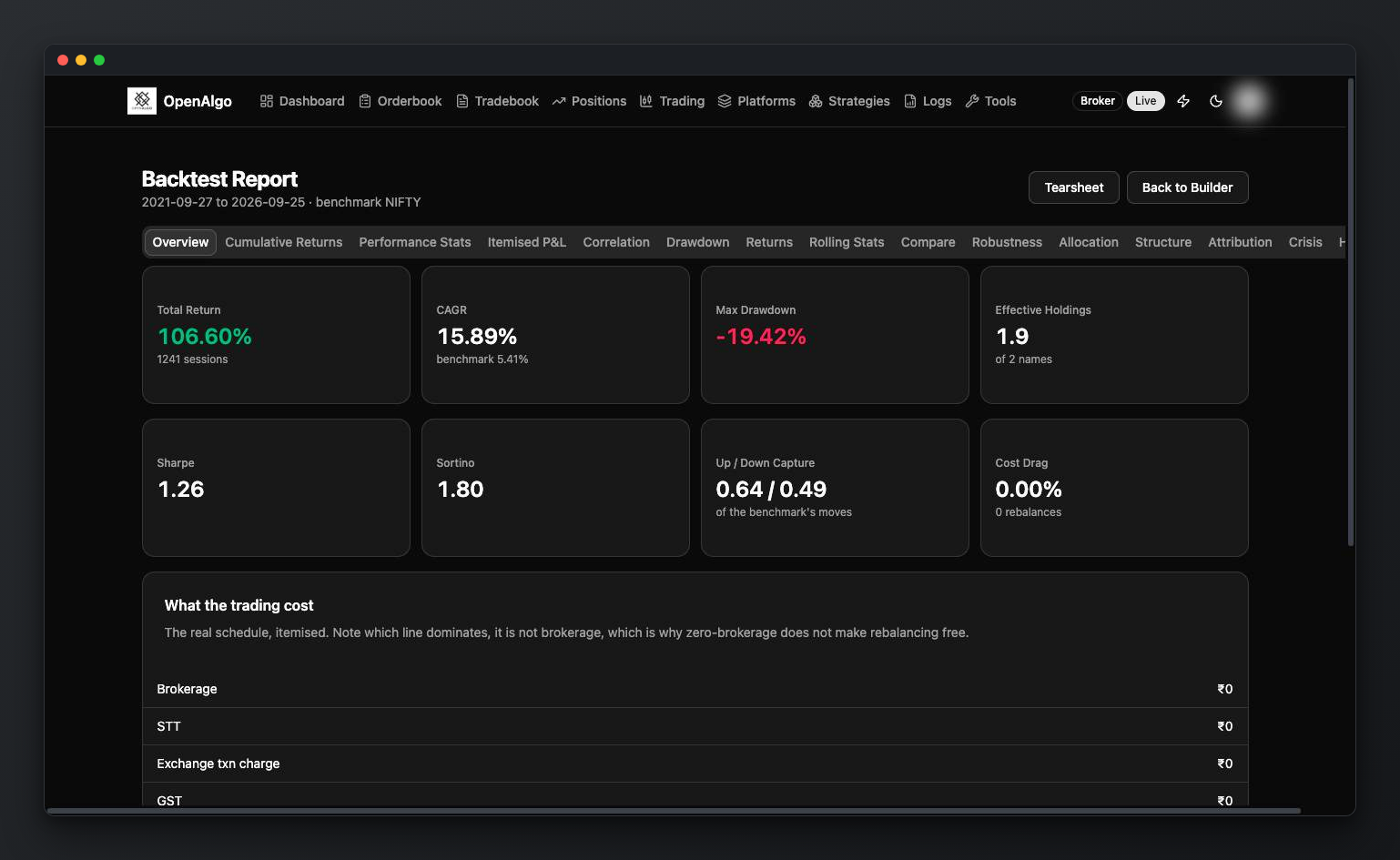
| **Portfolio Backtester** | `/portfolio-backtester` | Weighted portfolio against an index with real delivery costs, rebalancing rules, crisis periods and a full tearsheet |
| **SIP Backtester** | `/sip-backtester` | What a monthly, weekly or quarterly SIP would have returned: XIRR, rupee-cost averaging, start-date sensitivity and a lumpsum comparison |
| **Portfolio Analyzer** | `/portfolio-analyzer` | Grades the holdings you actually own: concentration, co-movement, drawdown resilience and behaviour in past crises |
***
## What These Tools Need
**A connected broker.** The options tools read the live option chain, so they need a broker session with market-data entitlement for the relevant exchange. A plugin that does not cover NFO or MCX cannot feed the tools that depend on it. See [Brokers](/connect-brokers/brokers.md) for per-plugin exchange coverage.
**Local history, for the backtesters.** The portfolio and SIP backtesters read stored data by default rather than calling the broker on every run. Download the range you need with [Historify](/new-features/historify.md) first.
**Nothing else.** There is no external data vendor, no subscription and no account beyond your own broker.
***
## Automating What You See
Several tools have a REST equivalent, so a strategy can consume the same numbers the screen shows:
| Tool | API |
| ------------------------------ | ------------------------------------------------------------------------------------------------------------------------------------------- |
| Option Chain | [Option Chain](/api-documentation/v1/data-api/option-chain.md) |
| Option Greeks | [OptionGreeks](/api-documentation/v1/data-api/optiongreeks.md) and [MultiOptionGreeks](/api-documentation/v1/data-api/multioptiongreeks.md) |
| Straddle and synthetic futures | [SyntheticFuture](/api-documentation/v1/data-api/syntheticfuture.md) |
| SIP Backtester | [SIP Backtest](/api-documentation/v1/utilities-api/sip-backtest.md) |
The Greeks endpoints are rate limited separately and more tightly than general data endpoints. See [Rate Limiting](/api-documentation/v1/rate-limiting.md) before polling them in a loop.
***
## Related
* [Why to Build with OpenAlgo?](/why-to-build-with-openalgo.md)
* [Chart Trading Terminal](/new-features/trading-terminal.md) for trading from the chart itself
* [Scalping Terminal](/new-features/fast-scalper.md) for keyboard-driven execution